Resetting Password - Remote
Use this document to step through resetting your password while working remotely.
The most effective way to reset your password is using the steps here Self-Service Password Reset Instructions |
If you are having difficulty with the Self-Service Password portal while working remotely, follow these steps:
⚠️ Password Must Not Be Expired: These steps will only work if you are still able to login to your machine meaning the password is not expired nor the account is locked out. |
1. On the keyboard press Ctrl + Alt + End
2. That will bring up the context menu:
3. Enter your current password
4. Create a new password
⚠️ New Password Must
Adhere To:
|
⛔ Password cannot be anywhere
close to your username (ex: Jsmith's password cannot be jsmi3403!*6) This password
will not be accepted. |
5. Re-enter the new password
6. If the password has been accepted this message will appear on the screen:
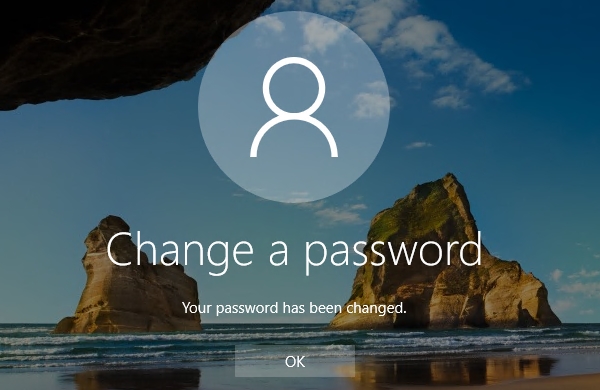
✅ SUCCESS! You have successfully reset your password! The next time you login, use the new password. |
Related Articles
Logging On via Wyse Terminal
1. Turn on Wyse Terminal ℹ Information: The terminal will automatically login, you do not need to enter a password. Just wait for the white background 2. Once fully booted and logged in, check the desktop for a remote desktop connection icon named ...Using General Use Machine
To ensure that we are using the proper machine when working in the office, this document will show you where to find the remote connection location and highlight a few other points of note when using a general use machine. Logging In 1. Login to any ...Desk Phone Ringing for Multiple Extensions
This resolution is to help fix an issue where a Zulty's desk phone is ringing for more than 1 extension. One of the users that is experiencing this issue either recently transitioned to working from home, or who's role has been adjusted and no longer ...